
Agora Chat
Replace Slack for your team. Talk to clients in your own brand.
Included on the Agency plan. Your team gets channels, DMs, threads and files right beside the client work, and any client you choose gets a chat with your agency, under your name, in their portal and phone app.
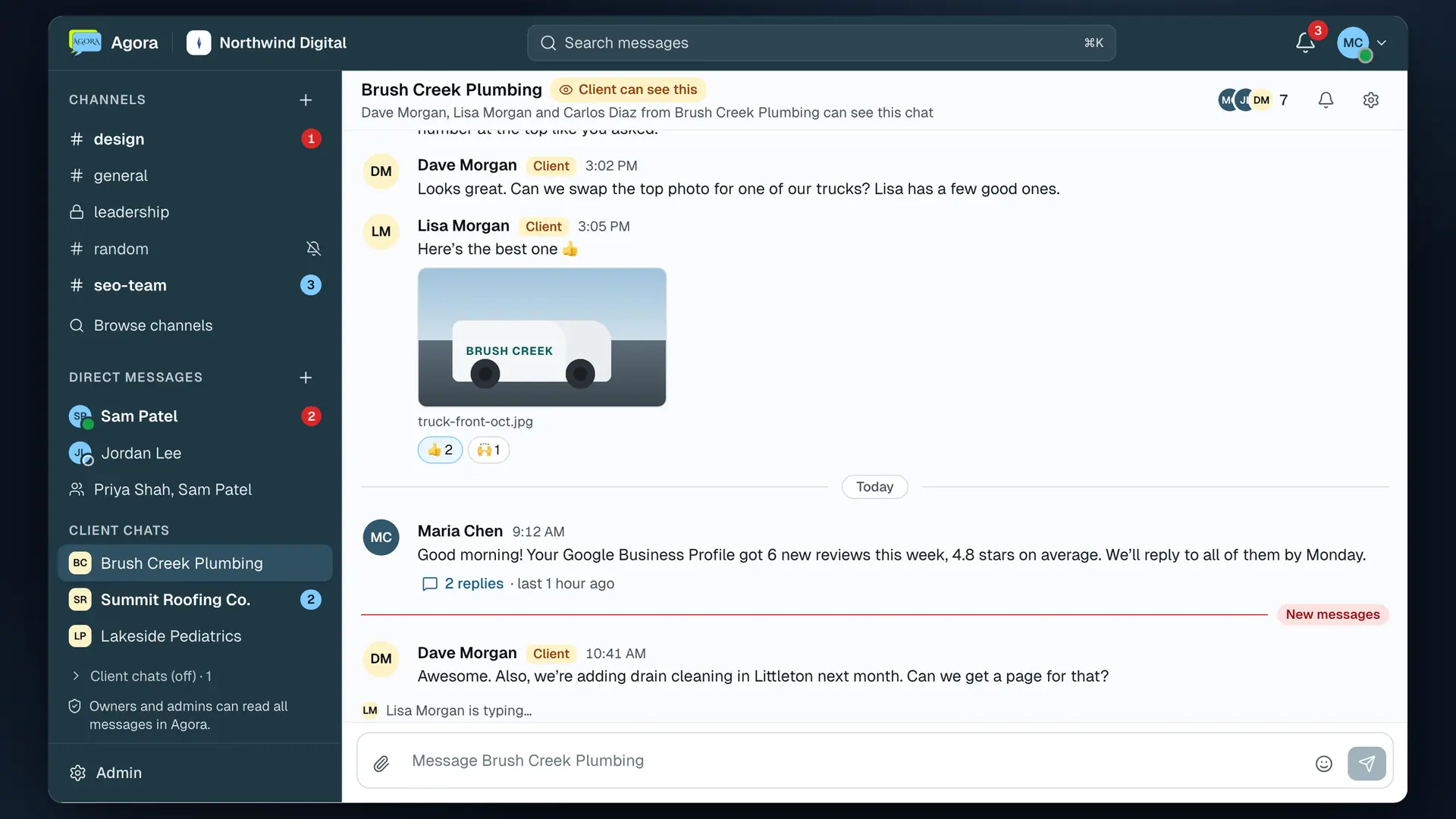
For your team
Everything your team says about a client, next to the client work.
Channels, DMs and group DMs
A channel for each client or project, a #general everyone is in, and direct messages one to one or with a few people.
Threads, mentions and reactions
Reply in a thread so the channel stays easy to read, @mention someone so it reaches them, and react instead of typing "ok".
Files and link previews
Drop in photos, PDFs and other files, and links you paste show a preview. Everything stays with the conversation.
Search everything
Find any message by its words, who sent it, where or when, and jump straight to it. ⌘K opens any channel or person.
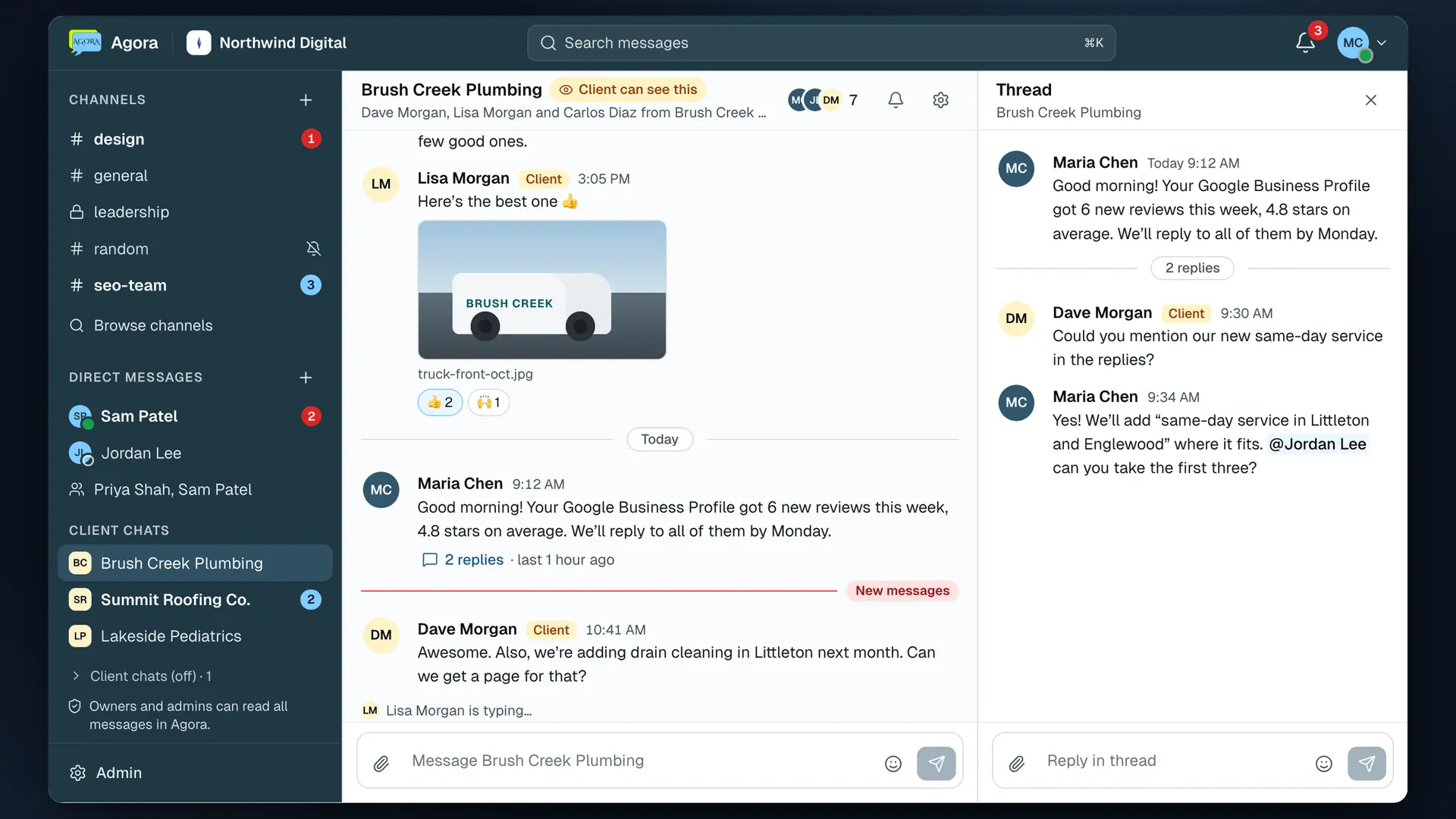
Never miss a mention, a DM or a client message
Agora has its own bell, so chat never gets buried under the rest of your notifications.
Its own bell
Mentions, DMs and new client messages in one list, kept apart from the ContentForge bell.
Desktop alerts
Turn on desktop alerts and Agora tells you about mentions and DMs whenever its window isn't in front.
Email when you're away
On by default for mentions, DMs and client messages. Each person can turn it off or change how long Agora waits.
On your phone
Agora in the ContentForge app, with push for mentions, DMs and client messages, so you can answer from anywhere.
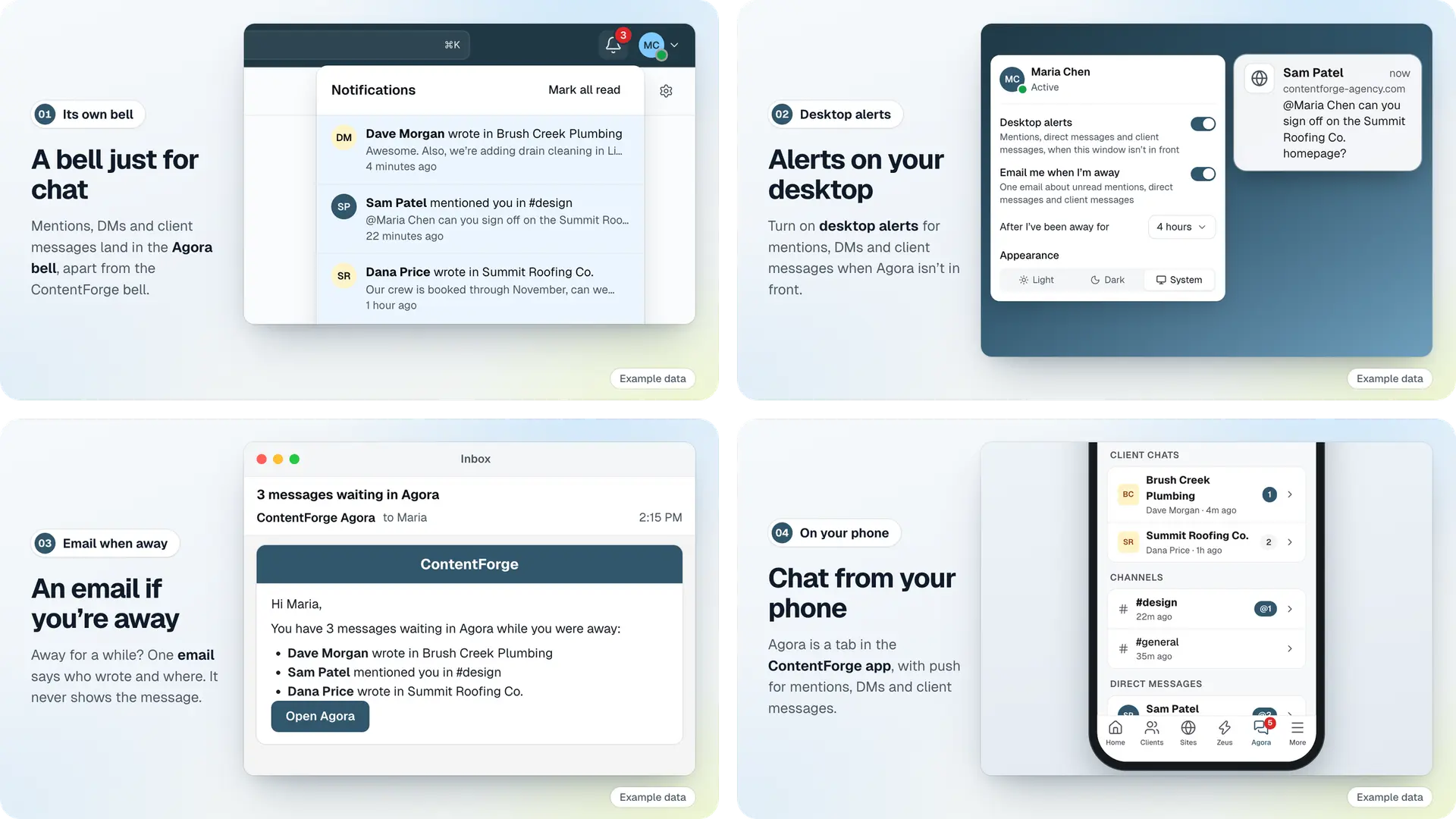

Client chat
A chat with your agency in every client's portal. Only your name on it.
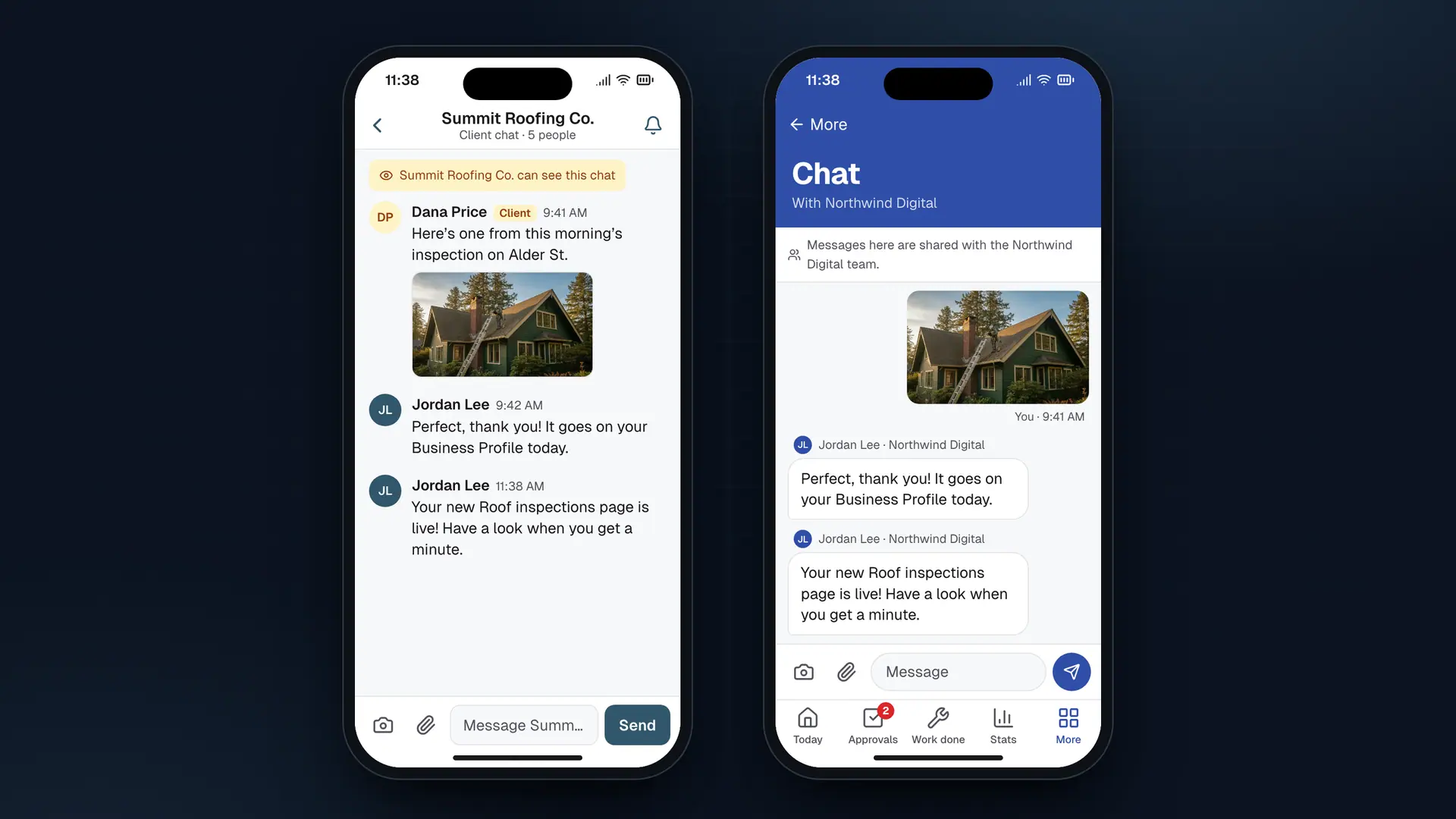
Turn it on for the clients you choose. They see "Chat with" and your agency's name in their portal and the Business Hub app, with your logo and colors, never Agora or ContentForge. Your team answers from Agora, next to your own channels.
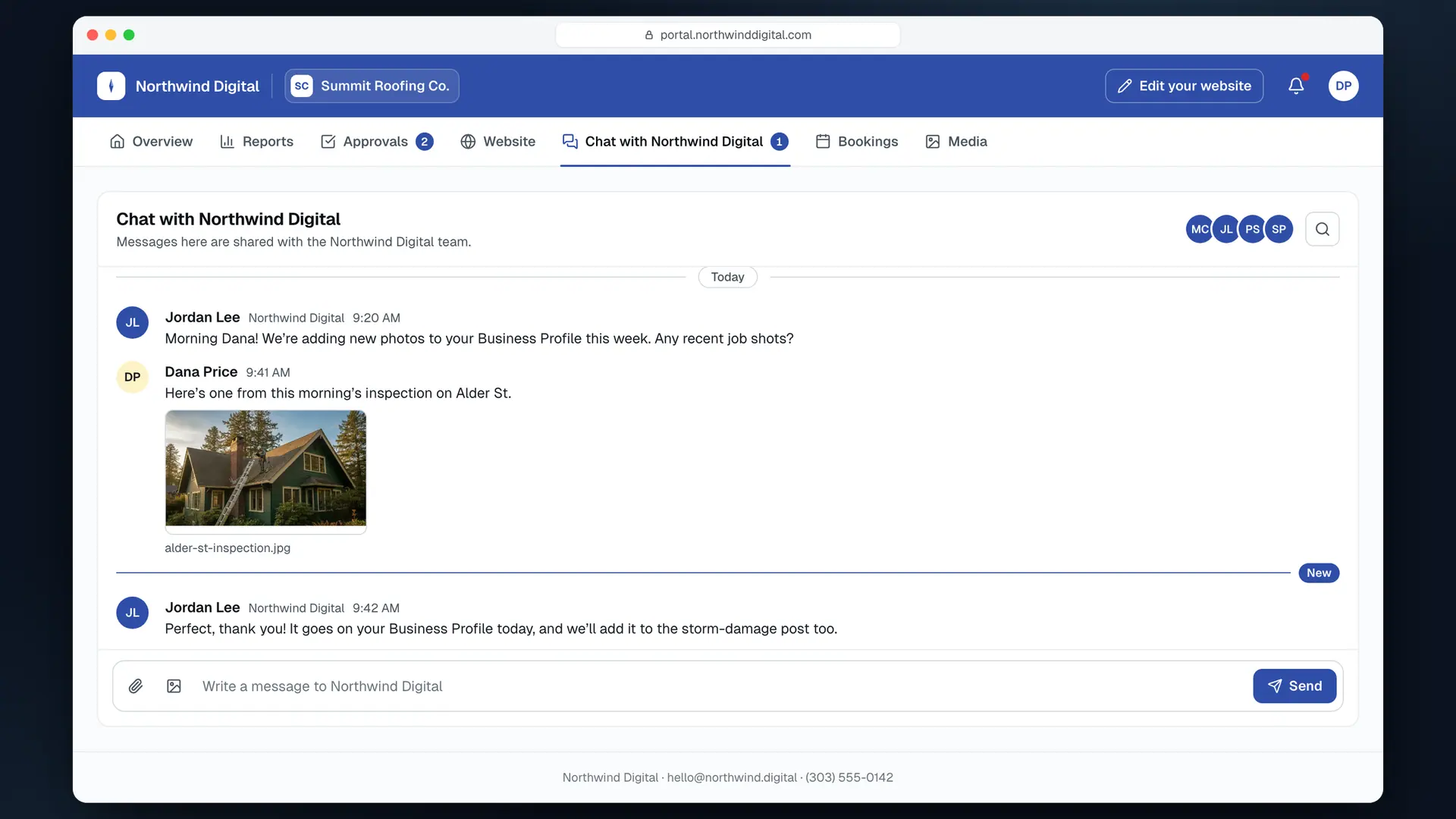
One conversation, wherever your client is
In their portal
A "Chat with" tab with your agency's name and an unread count, on your own portal domain. Everyone at the client with a portal login is in it.
In the Business Hub app
The same conversation on their phone, with push notifications, photos and files.
An email when they're away
A "you have messages waiting" email in your branding, on by default. It never includes the message itself.
Set it up once
Set it up once, then turn it on client by client.
01
Open Agora Chat
From your sidebar. It opens in its own window with #general ready, and each team member joins the first time they open it.
02
Turn on chat for a client
Pick who's in it. To start with: the team members assigned to that client, the owners, and anyone who can see every client.
03
Your client says hello
Everyone at the client with a portal login can write to you from their portal or Business Hub, and your team sees it in Agora's Client chats.
Owners and admins stay in charge
Clear rules that everyone on your team can see.
Channels
Only owners and admins create, rename and archive them.
Members
Owners and admins add and remove people.
Full visibility
Owners and admins can read every conversation, DMs included.
Always disclosed
Everyone sees that owners and admins can read all messages.
Every look logged
Opening a conversation you're not in is logged first.
Client chat off
The tab goes away for the client. You keep the history.
Private to you
ContentForge staff can never see your chats.
Nothing deleted
Leave the Agency plan and it goes read-only. It's all there when you're back.
One less subscription
Your team chat lives where the work does.
Clients, sites, reports and the conversations about them sit in one place, so nobody pays for another per-seat chat app or pastes messages between tools.
Agora Chat comes with the Agency plan for your whole team, with no per-seat price. It isn't Zeus, so it never uses credits.
Its own window, in light or dark, with ⌘K to jump to any channel or person
Native screens in the ContentForge app, with push for mentions, DMs and client messages
Turn client chat on for one client, a few or all of them
Included on Agency.
Agora Chat comes with the Agency plan, for your whole team and every client you turn it on for. No credits, no per-seat price.
Bring your team and your clients into one chat.
Comes with the Agency plan. Join the waitlist to get notified when a spot opens.